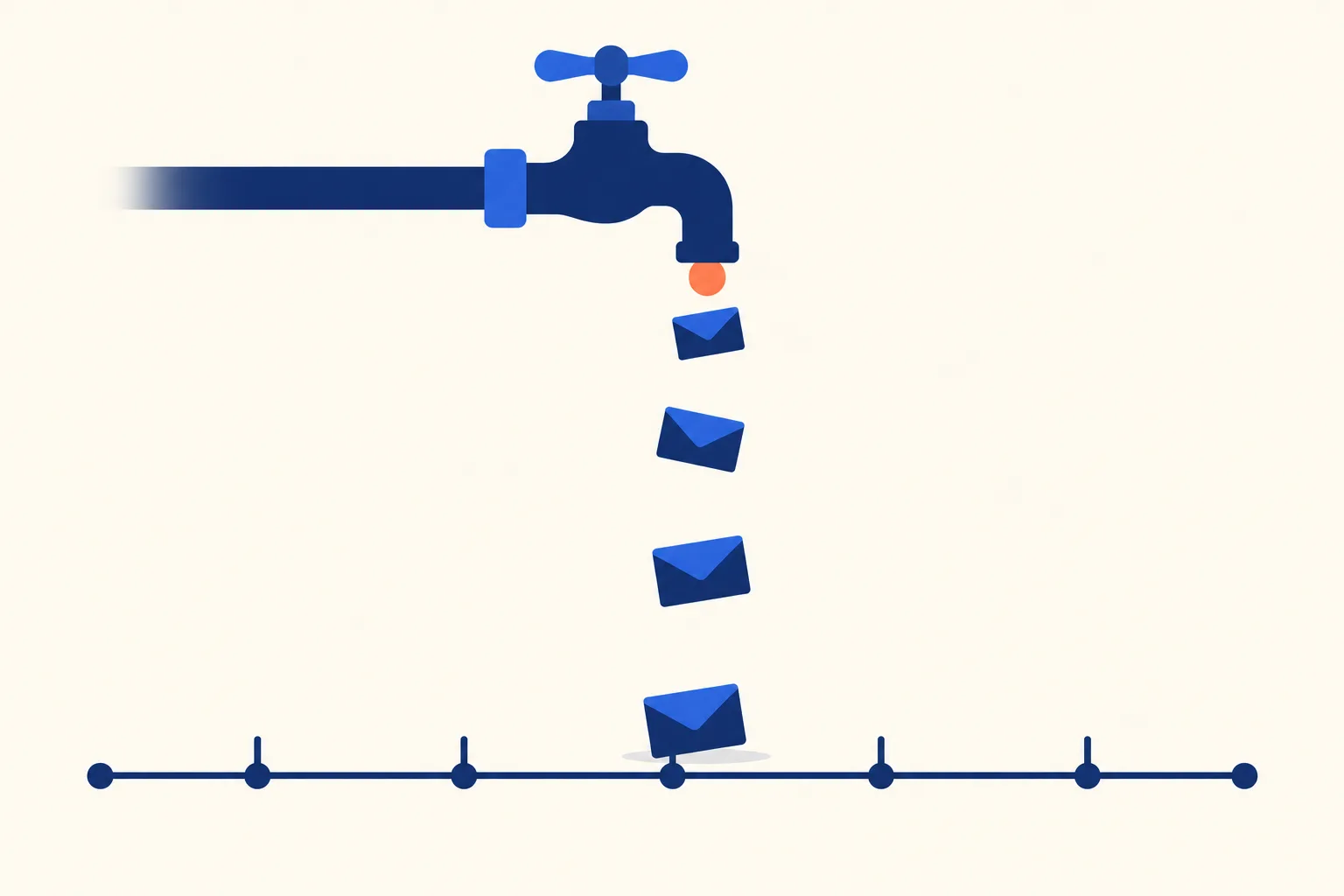
An email drip campaign is a pre-written series of emails sent automatically on a schedule after a starting event, such as a signup, a download or a trial start. Each email goes out a set number of days after the previous one. In SaaS, drips nurture leads, convert trials and teach features. A good drip has one goal, a fixed schedule and an exit rule that stops it the moment the reader reaches that goal.
Below you will find how drips differ from triggered emails and automation workflows, six SaaS drip schedules you can copy (email by email, with exit rules), timing guidance, the stop conditions most guides skip, and a setup checklist for both marketers and the developers who send the events.
Drip campaign vs triggered email vs automation workflow
The three terms get mixed up because tools often build all of them on the same canvas. The difference is what decides the next email.
| Drip campaign | Triggered email | Automation workflow | |
|---|---|---|---|
| What starts it | A starting event (signup, download, trial start) | A single event (password reset, invoice paid) | An event or a segment match |
| What decides the next email | Time: a fixed delay after the previous email | Nothing, it is one message | Behavior: branches on what the user did |
| Typical use | Lead nurture, email courses, event follow-up | Receipts, alerts, confirmations | Lifecycle journeys with several paths |
| Example | Five educational emails over ten days | “Your export is ready” | If the user activates, skip the nudge and send tips |
A drip campaign is time-driven: the schedule decides what is sent next. A triggered email is event-driven: one action sends one message. An automation workflow adds branching, so user behavior decides the path.
A drip is the simplest of the three, which is why it is a good first build. Read more on trigger emails and on how drips fit inside broader email automation workflows.
Six SaaS drip campaign examples with schedules
The schedules below use a fictional analytics product called Tallyboard. Day offsets count from the entry event. Subject lines are starting points to adapt to your own voice, not tested winners.
Onboarding is deliberately missing from this list. It deserves its own treatment, and the onboarding sequence guide covers the five emails that move a new signup to activation. For trial onboarding, feature adoption and win-back as lifecycle flows, see the lifecycle email sequences post. For inactive subscribers, see re-engagement emails.
1. Lead nurture after a content download or waitlist signup
Who enters: someone who gave you an address in exchange for a template, report or waitlist spot, and has no account yet. If your form uses double opt-in, start the clock when they confirm, not when they submit. Goal: a trial signup.
| Day | Email purpose | Sample subject line |
|---|---|---|
| 0 | Deliver the download, set expectations for what follows | “Your churn dashboard template is inside” |
| 3 | One practical tip related to the download | “The mistake that skews most churn charts” |
| 7 | A short customer-style story showing the problem solved | “How a 6-person team cut reporting from a day to an hour” |
| 12 | Soft invitation to try the product, with a single link | “Want to see this template running on your data?” |
| 20 | Last email: restate the offer, say the series is ending | “Closing the loop on the template” |
Exit rule: stop when they start a trial. Anyone still unengaged after Day 20 moves to your regular newsletter list or is suppressed, not recycled into the same drip.
2. Trial-to-paid drip for users who have not activated
Who enters: a trial user on Day 5 who has not completed the key setup action (for example, connecting a data source). Users who did activate skip this drip and get conversion messaging instead. Goal: complete the setup action, then convert. This is not onboarding: it targets only the stalled group.
| Day (from entry) | Email purpose | Sample subject line |
|---|---|---|
| 0 | Name the one blocked step and offer a shortcut | “One step left before Tallyboard shows anything” |
| 2 | Offer a 15-minute setup call or a sample dataset | “Want us to load sample data so you can look around?” |
| 4 | Remove an objection (security, import limits) | “Where your data goes when you connect it” |
| 6 | Trial end reminder with the plan comparison | “Your trial ends Friday: what you keep and what you lose” |
Exit rule: leave the drip when the setup action completes (then switch to a conversion path) or when the trial converts or ends.
3. Five-day email course
Who enters: anyone who signs up for the course on a landing page. Goal: teach a skill and build trust. One lesson per email, one action per lesson.
| Day | Lesson | Sample subject line |
|---|---|---|
| 0 | Lesson 1: define the one metric that matters | “Day 1: Pick your north-star metric” |
| 1 | Lesson 2: instrument it | “Day 2: Where the number actually comes from” |
| 2 | Lesson 3: set a baseline | “Day 3: What is normal for your product?” |
| 3 | Lesson 4: spot a real change vs noise | “Day 4: Is that dip real?” |
| 4 | Lesson 5: build a weekly review, then mention the product once | “Day 5: A 20-minute weekly metrics review” |
Course drips are the one case where daily sending is normal, because readers opted in to a short, labeled series. Exit rule: finishing Lesson 5, or starting a trial. After it ends, ask once whether they want the newsletter.
4. Feature education for existing paid users
Who enters: a paying customer 30 days after upgrading who has not used a given feature (say, scheduled reports). Goal: first use of that feature.
| Day | Email purpose | Sample subject line |
|---|---|---|
| 0 | Show one concrete use case in three steps | “Send your Monday report without opening Tallyboard” |
| 5 | A short how-to with a screenshot or GIF | “Set up scheduled reports in under two minutes” |
| 14 | Ask a question: is this feature useful to you? | “Is scheduled reporting not for you?” |
Exit rule: stop when the feature is used once. Keep it to three emails: paying customers tolerate guidance, not repeated pushing.
5. Post-upgrade drip for a new plan
Who enters: a customer who just moved to a higher plan. Goal: use what they paid for, so the upgrade feels justified at the next renewal.
| Day | Email purpose | Sample subject line |
|---|---|---|
| 0 | Confirm what changed and what is now unlocked | “You’re on Team: here’s what just opened up” |
| 3 | Invite teammates, since seats are now available | “Add your team in one step” |
| 10 | Point to the single highest-value new capability | “The Team feature most people try first” |
| 30 | Short check-in with a reply address | “How’s the Team plan working so far?” |
Exit rule: stop at Day 30, or immediately if the customer downgrades or opens a support ticket flagged as a complaint.
6. Webinar or event drip, before and after
Who enters: a registrant. Day offsets here run relative to the event date, with negative numbers for before. Goal: attendance, then a next step for everyone.
| Day (relative to event) | Email purpose | Sample subject line |
|---|---|---|
| Registration | Confirmation with calendar file | “You’re in: Dashboards That Get Read, Oct 21” |
| -2 days | Reminder with the agenda | “Two days until Dashboards That Get Read” |
| Event day, morning | Join link, start time in their time zone | “Starting at 10:00 your time: join link inside” |
| +1, attended | Recording, slides and one next step | “Slides and the dashboard template from yesterday” |
| +1, did not attend | Recording and a shorter summary | “Missed it? Here’s the recording” |
Exit rule: this drip forks at the event, so it is the one example that needs a behavior check (attended or not). Everyone exits after the follow-up email and joins the lead nurture drip, unless they already started a trial.
How to time a drip
There is no universal spacing that works for every audience, so treat the following as practical defaults you should test, not research findings.
- Shorter gaps early, longer later. Interest is highest right after the starting event. A gap of 1 to 3 days early, stretching to 5 to 10 days toward the end, is a reasonable shape.
- Use business days for B2B. A “Day 2” email that lands on Saturday is easy to ignore. Skip weekends in the delay setting if your buyers are at work.
- Handle time zones deliberately. Send in the recipient’s local time where your tool supports it. If it does not, pick a single mid-morning hour in your largest audience’s zone rather than sending at the moment the delay expires.
- Stop sooner than feels natural. Three to six emails per drip is a workable range. Past that, each extra email mostly adds unsubscribes. Course-style drips are the exception because the reader chose the full series.
- Check overall frequency. One person in three drips at once can receive more email in a week than any single drip planned for.
Send-time questions (day of week, hour) deserve their own test on your own list, since results differ by audience and product. The guide to the best time to send email covers what published studies found and how to run that test.
Stop conditions and suppression
Most drips fail quietly because nobody defined how they end. Four rules cover most of it.
- Exit when the goal is met. Define the goal event before writing a single email. A drip that keeps selling a trial to someone who already paid is the most common and most damaging mistake.
- Suppress overlapping drips. Give each drip a priority and let a higher-priority one pause the others. A new lead who also joined the webinar should not receive the nurture drip and the event drip on the same days.
- Honor unsubscribes immediately. The FTC’s CAN-SPAM guide states: “You must honor a recipient’s opt-out request within 10 business days.” That is the legal ceiling, not a target. Remove the person from every drip at once, and make the unsubscribe link easy to find. The same FTC guide says you cannot require the recipient to take any step “other than sending a reply email or visiting a single page on an Internet website” to opt out.
- Pause on hard bounce. A hard bounce means the address does not exist. Remove it from the drip and from your list so you do not keep sending to it.
Mailbox providers also set expectations beyond the law. Google’s sender requirements say that “Marketing messages and subscribed messages must support one-click unsubscribe, and include a clearly visible unsubscribe link in the message body.” These requirements apply to senders transmitting more than 5,000 messages daily to Gmail accounts.
How to set up a drip campaign
- Pick the entry event. One specific event, such as “downloaded the churn template” or “trial day 5 without data connected”. Vague entry rules (“all new contacts”) create overlapping drips.
- Define the goal and the exit event. Write both as events your system can detect, for example
trial_startedorscheduled_report_created. - Write the emails. One goal per email, one primary link, and a plain subject line. Draft the whole series before building any of it so the emails build on one another.
- Add personalization with merge tags. First name is the minimum; plan names, the feature they have not used, and the owner of the account are more useful. Always set fallbacks for missing values.
- Set the delays. Use the day offsets you planned, in business days if relevant, and set a send window.
- Test with seed accounts. Enroll three or four test addresses, trigger the exit event on one of them, and confirm the emails stop. Check each email on mobile.
- Launch to a small segment first. Start with a fraction of eligible users, check for unsubscribes, bounces and replies, then widen.
For developers: the email tool only knows what your app tells it. Send an event for each entry and exit condition (signup, activation, upgrade, cancellation) with a stable user ID, through your email tool’s API or a webhook. If the exit event never arrives, the drip keeps sending after the user has converted. A tool like Coldletter that combines templating and automation can keep these events and emails in one place, but any email platform that accepts events will do.
If you are still deciding between a drip and a branching flow, the email automation for SaaS guide covers when to move to behavior-based logic.
What to measure
Measure in this order:
- Conversion to the drip’s goal. Trial started, feature used, upgrade completed. This is the only number that says whether the drip works. See email conversion rate.
- Click-through rate per email. It shows which email earns attention and which one the reader skips. See click-through rate.
- Unsubscribe and complaint rate per email. A spike on one email points to a specific problem with timing or copy.
Open rate comes last because it is unreliable. Apple stated when it announced the feature in June 2021: “In the Mail app, Mail Privacy Protection stops senders from using invisible pixels to collect information about the user.” The same announcement says the feature helps users prevent senders from knowing when they open an email. Litmus summarizes the effect for marketers as “Inflated email opens, unknown open times, and geolocation becomes a mystery.” Use opens for rough comparison between subject lines at most, and rely on clicks and goal events for decisions.
Frequently Asked Questions
What is an email drip campaign?
An email drip campaign is a pre-written series of emails sent automatically on a schedule after a starting event, such as a signup, download or trial start. Each email goes out a set number of days after the last one, and the series stops when the reader reaches its goal or unsubscribes.
How many emails should a drip campaign have?
Most SaaS drips work with three to six emails. Use fewer for a narrow goal like first use of a feature, and more only for a series the reader chose, such as a five-day email course. This is a practical default, so test it against your own unsubscribe and conversion data.
How often should drip emails be sent?
Start closer together and widen the gaps: every 1 to 3 days at the beginning, then every 5 to 10 days. Use business days for B2B audiences. An opted-in course can go daily. Adjust based on clicks and unsubscribes per email, not on a fixed rule.
What is the difference between a drip campaign and a newsletter?
A drip campaign is a fixed series that starts for each person at their own entry event and ends at a goal. A newsletter is a recurring broadcast sent to everyone on the same date, with no end. Drips are about one reader’s next step, newsletters about ongoing updates.
Are drip campaigns still effective?
They work when each one has a clear goal and an exit rule, because the message matches where the reader is. They fail when they run on a schedule regardless of what the person does. If the reader’s behavior should change what they get, move to a branching automation workflow.
What is an example of a drip campaign?
A simple SaaS example is a lead nurture series after a template download: the template on Day 0, a tip on Day 3, a short customer story on Day 7, a soft trial invitation on Day 12, and a closing email on Day 20. It stops as soon as the person starts a trial. Five more schedules are above.
Should a new subscriber get a welcome email before the drip starts?
Yes, if the drip does not begin with one. A welcome email confirms the signup and sets expectations. In the nurture and course examples above, the Day 0 email doubles as the welcome message.

I’ve spent my career building software at scale with a soft spot for email: deliverability, lifecycle campaigns, and getting messages to actually land. I started Coldletter to fix what bugged me about transactional and marketing email tools. I’m based in Vancouver.